
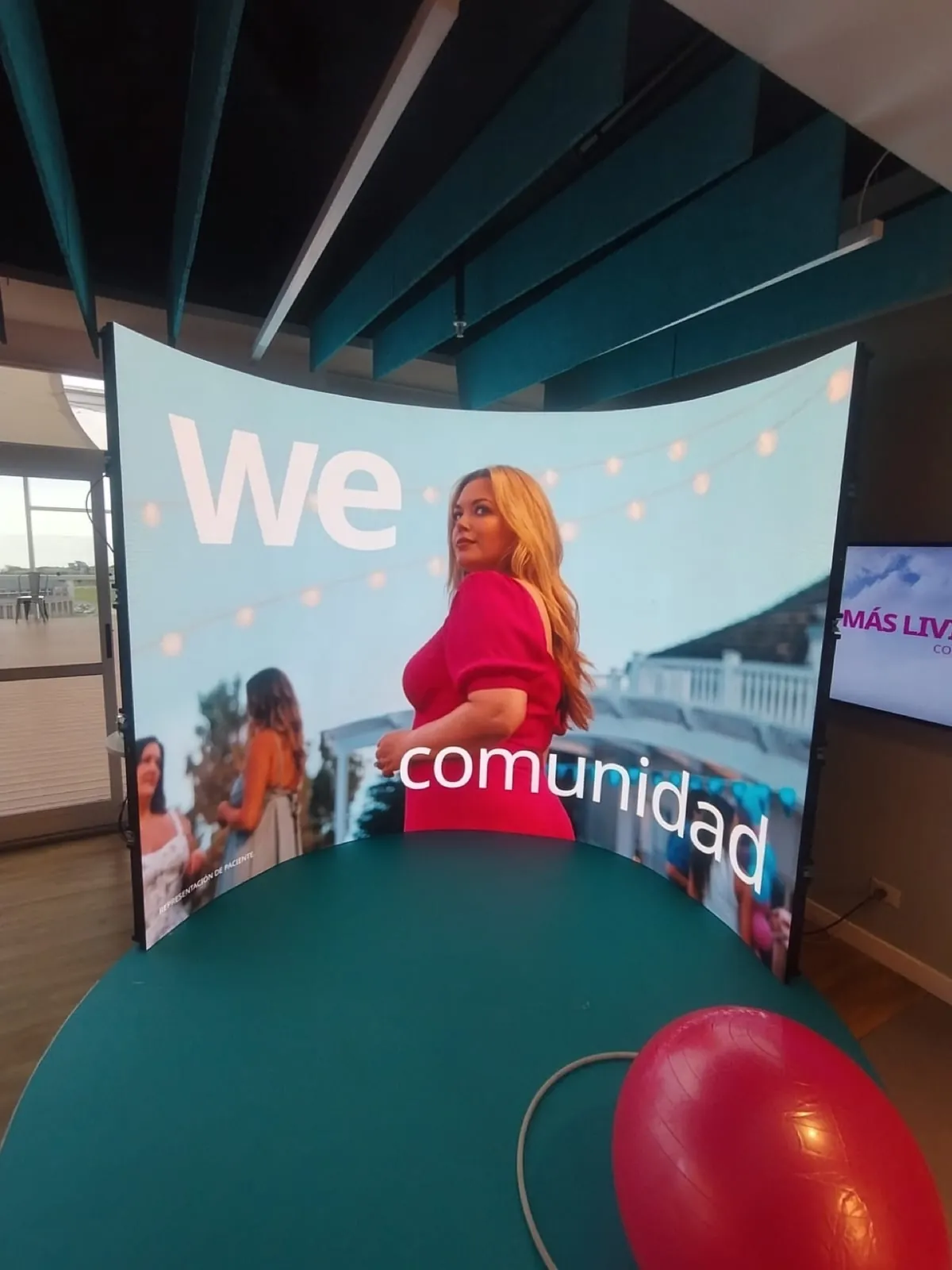
SPECIALTY LED FORMATS
Curved & Flexible LED Rentals in Miami & South Florida
Shape your stage, booth, studio or brand installation with an LED surface designed around the space and its content. We compare curves, corners, columns and custom formats to choose a configuration the audience can see clearly.
Start with an idea, a photo or a visual reference. We can work out the shape, dimensions and playback with you, even before you have a floor plan or equipment list.
Available for projects in Miami, Broward, Palm Beach and destination productions.
TECHNICAL DETAILS
Answers for planners, producers and technical teams
Technical questions
Rent equipment on its own or add preparation, delivery, setup, connection, testing, operation and removal. We plan the support, pixel map and playback as parts of one visual system.
How do curved cabinets differ from flexible LED modules?
Curved rental cabinets form repeatable concave or convex surfaces using locking positions and cabinet geometry designed for that purpose. Flexible modules or specialized surfaces can follow tighter radii and sculptural shapes, depending on the product. We compare radius, viewing distance, resolution, rear access and support. Curved cabinets often allow faster setup for touring and events; flexible formats make highly customized scenic shapes possible to explore.
Where is a 90-degree LED corner useful?
It can be part of a column, cube, entrance portal or broadcast set. We can use Unilumin URM III P2.6 45-degree corner cabinets to form a 90-degree assembly. We plan compatible hardware, pixel alignment, maintenance access and the content map together so the image follows the shape.
How do you map content for a custom LED shape?
We prepare an exact map identifying each cabinet, module and visible edge. Content is composed for that canvas instead of stretching a generic 16:9 file. Faces, logos and text are positioned with seams, corners and cropped areas in mind. We can provide the map to the content team or coordinate Resolume and media-server playback to test the design on the actual output before doors open.
How do you prepare support, testing and show operation?
Starting with the shape, dimensions, venue and viewing positions, we review structural support, hanging or ground-support options, power, signal paths, processing capacity and maintenance access. We incorporate the setup’s rigging and engineering requirements and organize a safe installation sequence. We align, map and test the system with representative content, including corner transitions and camera views where relevant. You can add an on-site technician to monitor signal, temperature, power and playback during the event.
From your visual reference to a configuration
We start with the shape you want and where it will be used. Width, height, radius, a floor plan or a rendering help if you have them; we can develop those details with you. We review audience positions, support, power, processing, rear access and the setup sequence. Tell us what each surface will show and whether cameras are involved. As dates, access and setup, rehearsal and removal times take shape, we incorporate them into the plan with your production team.
Plan content for my LED displayREADY TO PLAN?
What shape do you have in mind?
Share the idea or a reference for the space. We can compare formats and build an equipment and service list for your production.
Preparing your LED display
How should I prepare video and presentation files?
We provide the final pixel map and playback requirements before you export. For presentations, include fonts and linked media; for video, original files retain more information than compressed messaging-app previews. We identify the final version and playback order, then review resolution, aspect ratio, audio and cue points. If you need editing or new content, we list it as an additional service in the proposal.
Do we need a site visit?
We can start with current plans, photographs or a description of the space. We review that material to decide whether a visit would help clarify access, support or setup. Restricted access, unusual screen shapes, outdoor structures and permanent installations may require a visit and further technical review. We agree on its purpose, timing and any cost before the visit.
Can I request a specific model or more units than the catalog lists?
Yes. If you have a rider or list, share the models, quantities, dates and approved alternatives. We can also build that selection around the shape you want to create. We evaluate additional units and check availability and compatibility for your dates. The proposal identifies models, quantities and accessories; we agree on any alternative with you before including it.
How do you prepare a logo that crosses an LED corner?
We work with your team to choose the main audience position and camera angles before composing the image. A design can match the pixel map and still look distorted from the side: separate faces and one perspective-based image produce different results. We review the screen drawing, a sample design and visible edges before export. A curve, an LED cube and an anamorphic effect each need their own composition; the chosen viewpoint guides the placement of logos, faces and text.
Can a curved LED wall show PowerPoint slides and charts clearly?
Yes, with a presentation layout designed for the screen and seating. We can reserve a readable area for slides and use the remaining surface for branding or scenic content, without stretching slides across the full width. We keep detailed charts and important text away from tight curves and corners that some guests see at an angle. A seating plan, screen drawing and sample deck help define that area and pixel map; we can start with the references available and develop the design with you. We also allocate space for camera feeds when needed. We test the smallest text from the farthest seats: content size and placement matter alongside pixel pitch.