Equipment only
Tell us what you need to add, the rental dates and the system it will connect to. If your crew will install or operate it, we can coordinate delivery and the connections needed.
 Get a quote
The audio inquiry buttons keep Orlando as a reference. The equipment list in your cart is reviewed separately. Confirm the city and venue when you write to us.
Our operating base is in Miramar. For Orlando, we plan transport and crew around the venue and schedule. Those details let us confirm available options and their cost in the proposal.
Orlando has been removed as a reference. Your audio options, project reference and any existing equipment list are kept.
The audio inquiry buttons keep Miami as a reference. The equipment list in your cart is reviewed separately. Confirm the city and venue when you write to us.
Our operating base is in Miramar. For Miami, we plan transport and crew around the venue and schedule. Those details let us confirm available options and their cost in the proposal.
Miami has been removed as a reference. Your audio options, project reference and any existing equipment list are kept.
SOUND EQUIPMENT · SETUP · OPERATION
Rent audio equipment for a meeting, choose a sound system with setup, or add an audio crew for a live production. At GLMedia, we prepare speakers, consoles, wireless microphones and monitoring for events in Miami and South Florida. Tell us what your audience needs to hear and what you have in mind: we can help plan the system before you have model numbers or a technical equipment list.
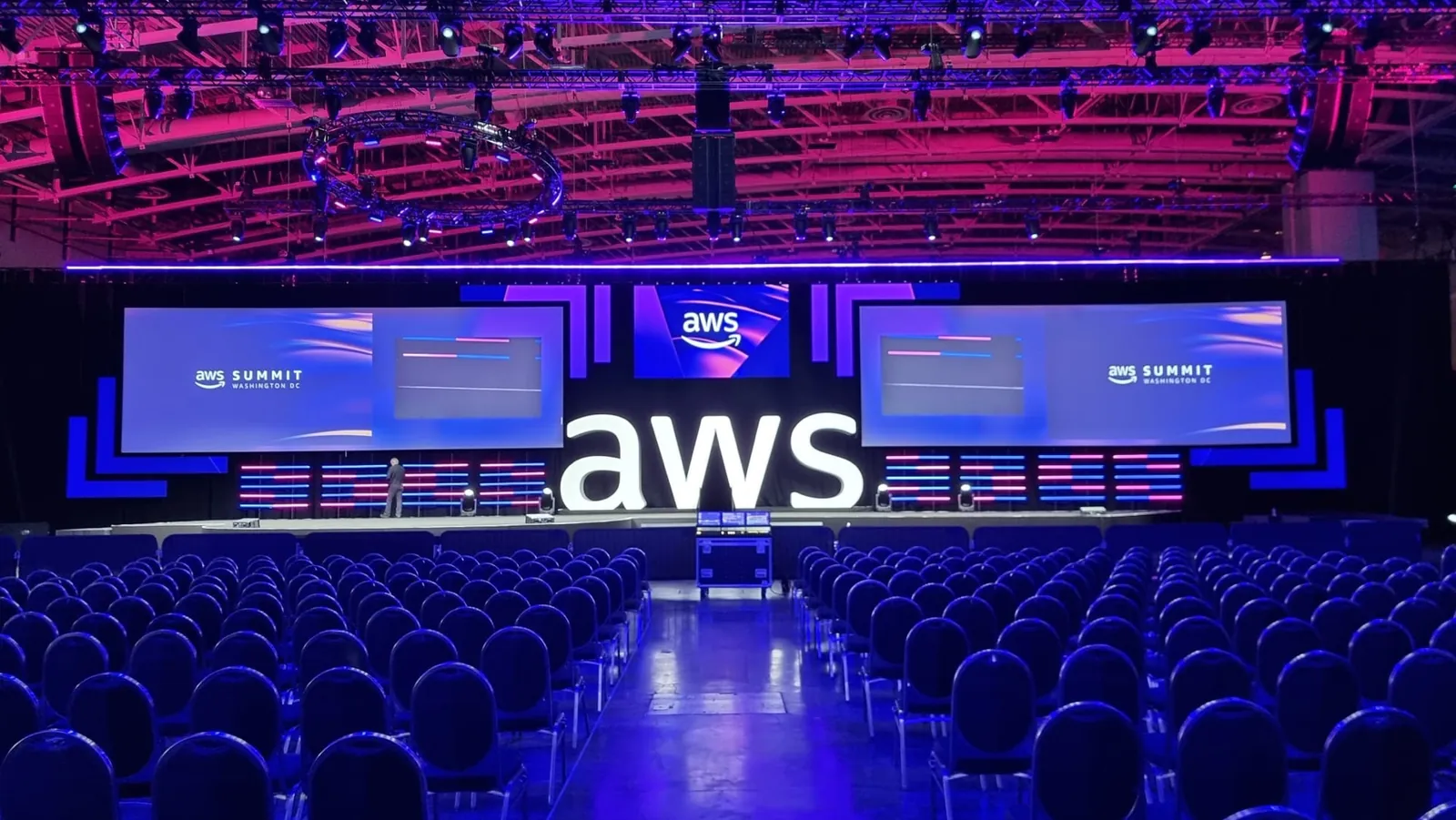
This project stays with your audio or lighting inquiry. You can request one service, equipment only or technical crew; the same setup is not required.
See GLMedia’s work on this projectThe language selector keeps this public reference. Your name, email and personal message are not copied; review them before leaving.
Project reference removed. Your service choice and message have been kept.
Ask for a single item, an installed system or sound with an operator during the event. We build the quote around your choices: equipment, transport, setup, testing, operator hours and teardown.
Tell us what you need to add, the rental dates and the system it will connect to. If your crew will install or operate it, we can coordinate delivery and the connections needed.
A photo, floor plan or description of the room gives us a starting point for the system. We coordinate access and timing for installation and testing. If your crew will operate it, we arrange a handover and walk through the connections and controls they will use.
Add an audio operator to mix voices and instruments, run playback and manage monitors during the program. Rehearsal and show times help us plan the crew and working hours. If the program is still taking shape, tell us which activities you expect.
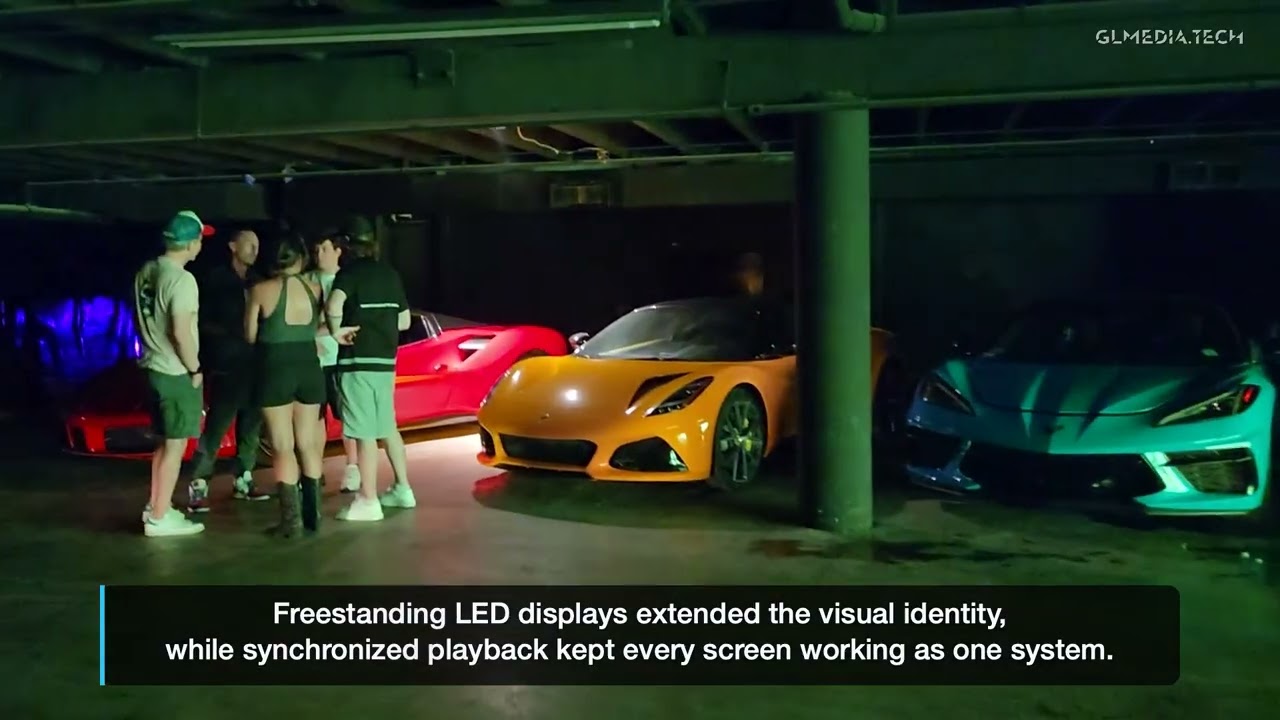
The system included two d&b audiotechnik CCL systems and one wireless microphone, alongside LED and lighting. GLMedia provided equipment, installation, system integration and technical operation.
View the projectAsk about audio using this referenceThese projects show different approaches to event sound. For yours, we select a configuration around the space and program, then confirm the models available for your date.
Choose the program closest to yours. We can help define the equipment and crew; you can start without model numbers or a final input list.
| Program | Signals and coverage | Monitoring and crew to define |
|---|---|---|
| Speech or panelAsk about speech or panel audio | Microphone channels for speakers, moderator and audience questions; seating layout and stage position. | Presenter foldback if needed, microphone handovers and who follows the discussion. |
| Conference with playbackAsk about conference audio | Microphones plus sound from presentations or videos; separate recording or streaming feeds when requested. | Cue list, rehearsal, presenter returns and responsibility for each feed. |
| Reception or musicAsk about music or DJ sound | Background music, DJ or live performance; listening areas and any dance floor need different coverage. | DJ connections, any booth monitor, level control and operator hours. |
| Band or concertAsk about band or concert sound | Current rider, input list and stage plot; audience PA and stage sources are reviewed together. | Monitor mixes, wedges or in-ears, changeovers and front-of-house/monitor crew. |
| Add to an existing systemAsk about an existing sound system | Models, available inputs and outputs, areas to reinforce and who controls the installed system. | Permission to connect, interface testing and who operates each part. |
See audio equipment in the AV inventory
We prepare each wireless channel with a compatible receiver, transmitter, capsule or headset, frequency band and accessories. If you already have part of the system, tell us what you use so we can build the equipment list around what you need to add.
Send the date, venue, approximate audience size and whether the program includes speeches, music or a live band. Tell us if you need equipment only, setup or an operator. If you already have a sound system, describe what you need to add; you do not need a list of models to start.
Request an audio quote ↗The button opens the form with this page as your audio reference. You can change or remove it and review your message before sending. Only your name, email and message are required; the date, audience size and models can remain undecided. Your inquiry helps us review options and availability for a proposal.
For conferences, concerts and arena projects, we review the room or site, audience size and technical rider before proposing the sound system and crew.
GLMedia can design and operate conference sound around speech intelligibility and the actual audience layout. Main PA coverage, wireless microphones, digital mixing, speaker placement and system tuning are planned together with the stage and video.
A long or wide room may benefit from distributed reinforcement: front fills cover the first rows and delay speakers support more distant or obstructed listening areas. Level, equalization and time alignment are adjusted for the system and coverage zones, rather than simply raising the main speakers.
For a 90 × 120 ft room, we assess line arrays or point-source speakers against ceiling height, reverberation, audience layout and the program. A line array can use different support arrangements, not only ceiling suspension; we review the options the venue allows. For operation, we propose an A1 audio engineer and any additional crew the event needs.
Choose equipment rental or a system with installation and operation. If the room needs reinforcement speakers, we propose their number and placement alongside the digital console, microphone channels and system tuning. Operator hours are added when you choose event operation, with each option shown in the quote for comparison.
RCF EVOX J8 systems are available through GLMedia. For a meeting, presentation or live performance, we can also quote microphones, mixing, monitoring and the crew needed for the program. Send the date and venue so we can confirm models, quantities and availability for that job. For concert riders and larger productions, we review the complete equipment and staffing requirements before proposing a system.
For large audiences and concert riders, we review coverage, venue rules and availability to plan the PA, control, wireless microphones, monitors, communications and crew. If you have the rider, share the current input list and stage plot, including any models the artist requires without substitution. We check compatibility and agree on any necessary alternative with production before booking, so the proposed configuration fits that show.
Yes. We can plan video playback audio to the PA, a feed for camera recording and intercom for the show caller. With your production team, we review connections, audio destinations and playback cues, then coordinate testing with the teams involved. Add these options to the sound proposal to match how the event will run.
Start with the date, venue, approximate audience size and what will happen on stage. If you have them, send a room plan, event schedule and technical rider—the artist’s equipment and setup requirements. Tell us what audio is already available, who will operate it and whether you need recording or streaming feeds. Access, rehearsal and finish times help define the crew’s working hours. You can start the conversation without knowing speaker models or microphone specifications.
These guides help your technical team prepare signal paths and tests. While the event is taking shape, tell us what needs to be heard in the room, on the recording or in the livestream, and we can help organize the connections.
Review the room sound, what the remote guest hears and the feed to the livestream separately. The guide covers return feeds and checks before the event.
Hybrid panel audio and return-feed guideIf the event uses cameras, screens, recording or streaming, check each destination. The guide explains how to identify where the timing error appears and how to check changes.
Sync guide for screens, recording and streamingBook sound on its own or integrate it into the event’s audiovisual production. We review the signals entering and leaving the system and coordinate setup and testing with your crew and the venue.
Explore event AV production servicesIdentify the warning before changing settings, know when to remove a unit from service, and prepare speaker load and connection details to evaluate a replacement system.
Amplifier protection and replacement guideIn REAPER, verify the device, input assigned to each track and recording mode. Use a short test take and listen to the saved files before recording the event.
REAPER recording guide and test worksheetUsing WING with SuperRack? Identify the USB, SoundGrid or Dante-bridge path, test one send and return, and record the setup for the operator.
WING–SuperRack guide and diagnostic worksheetCount everyone who needs a microphone during the discussion, including the moderator. Four panelists and a moderator can mean five microphone channels, even though they take turns speaking. Add a separate handheld if the audience will ask questions. Handhelds are easy to pass around; a headset leaves the presenter’s hands free, while a lavalier needs careful placement on clothing. Tell us whether people stay seated or walk around, and whether the session will be recorded. The mixer needs enough inputs for the microphones and any video or music playback.
You can add an audio technician for rehearsals and the event. During a panel, the operator manages open microphones and playback; a band also needs attention to its inputs and monitors. Rehearsal, door and finish times help us plan the working day. If your crew will operate the system, we can set it up, test it, walk through its use and provide the support contact at handover.
Tell the audio operator which microphone is affected and whether the problem is in the room, the recording or both. Describe what you hear: a dropout, distortion, a buzz or a sustained whistle. Turning up the volume can make feedback worse. Keep the microphone away from the loudspeakers and let the operator check the system before changing cables or settings. For equipment-only rentals, use the support contact agreed at handover. If you would like an on-site technician or backup equipment, we can add those options when planning the rental.
We prepare the microphone with a compatible receiver and a connection to the sound system. A lavalier or headset also needs its bodypack transmitter. We list the full set, including power supplies, cables and batteries. Request it for your existing speakers or console, or add a sound system; the models you already use help us check the connections.
The quote separates equipment from delivery, setup and operator time. A microphone for a meeting is a different request from sound for a band with stage monitors. Start with the date, venue, audience and program; you do not need to choose the speakers first. Include access, rehearsal and finish times so the quote covers the working day. Extra rooms, recording feeds and artist requirements can change the equipment and crew needed.
Yes, with suitable routing. The audience in the room and online may need different mixes and levels. Tell us which inputs the streaming or recording system accepts. A remote guest also needs a return feed that excludes their own voice, often called mix-minus. Include the remote connection in the rehearsal, not just the room microphones. We coordinate delivery and testing of each feed with the recording or streaming team.
Yes: share the models, frequency bands and quantities so we can assess them alongside the other wireless equipment. Frequency coordination also includes nearby rooms, in-ear systems and wireless intercom. We check the combined frequencies before selecting channels and adding equipment, even when each device works well on its own.
Yes. Request individual items, a system with setup or a technician to work with the sound equipment you already have. Tell us what is installed and whether your crew will operate it or you would like GLMedia personnel. At a hotel, we coordinate connections and operation with the people authorized by the venue. We can prepare a proposal focused on audio.
More volume at the main speakers does not necessarily make speech clearer at the back. In a long room, additional speakers farther back may help; in other rooms, repositioning or aiming the existing speakers may be enough. Reflections and background noise also matter. Any additional speakers need their level and delay adjusted so they work with the main system. Send the room plan, seating layout and stage position, and tell us if the program includes speech, music or both. That is more useful for choosing coverage than audience count alone.
Usually, yes. The audience PA and the musicians’ monitor mixes serve different purposes. A singer may need more vocal, while a drummer may need particular instruments or a click. With the band, we establish the number of independent mixes and which floor monitors, in-ear transmitters or earphones they bring. We plan stage monitoring as its own part of the system and arrange who will mix it during the show.
We plan that time around the input list and event schedule. A line check verifies signal paths; soundcheck with the musicians lets us work on the audience mix and monitors. We sequence access, setup, artist arrival and band changeovers before doors open. If you do not have the rider yet, tell us how many participants and performances you expect so we can start planning setup and operator time.
Yes. Send a site plan, audience areas, ground conditions, power information and the event schedule. An outdoor setup also needs agreed arrangements for equipment protection, cable routes and changes in weather. Tell us about sound limits and nearby activities that could affect the program. We review the system, crew and venue requirements before quoting. We plan protection around site conditions and each device’s rating; speakers and wireless equipment that are not rated for rain must remain protected.
We can help assess the installed system and the uses the hotel permits. Equipment intended for announcements or background music may need reinforcement or a different system for a DJ, band or dance floor. With equipment details and the areas to cover, we compare using it, supplementing it or preparing another event system. We coordinate authorized connections and operation with the hotel and review its services and fees.
Yes, with a multitrack recording setup. Each microphone is captured on its own track, so an editor can adjust one speaker without changing the others. A stereo recording or a feed sent to the livestream does not provide those separate tracks.
Tell us how many microphones and other sources you want to record, the program length and the files your editor needs. We use that information to select a compatible console or interface and recording media, and plan recording supervision and file delivery. You can request unedited tracks or an edited mix; we prepare the proposal around the editing work you need.
Start with the DJ’s controller or mixer model and its master outputs. That tells us what connections to prepare between the DJ setup and the event sound system. Also confirm whether the DJ needs a separate booth monitor; the speakers covering the dance floor do not necessarily let the DJ hear clearly.
We start with what the DJ brings to prepare the PA, subwoofers, cables and monitoring the dance floor needs. The controller, booth and person operating the DJ equipment are planned with the DJ’s participation. We coordinate control of the DJ output and overall level, especially when microphones for speeches or video playback share the system, and allow time to test the actual setup before guests arrive.
Tell us what the audience needs to hear and what you know about the venue or program. We can help you choose equipment, setup and operation from there.
You can choose whether Google Analytics and Google Ads measure visits and actions on this page. Service information and inquiry links work with either choice.
You have not chosen yet: the measurement tag will not load on this page until you accept.