
Presentations must remain readable from the last seat.
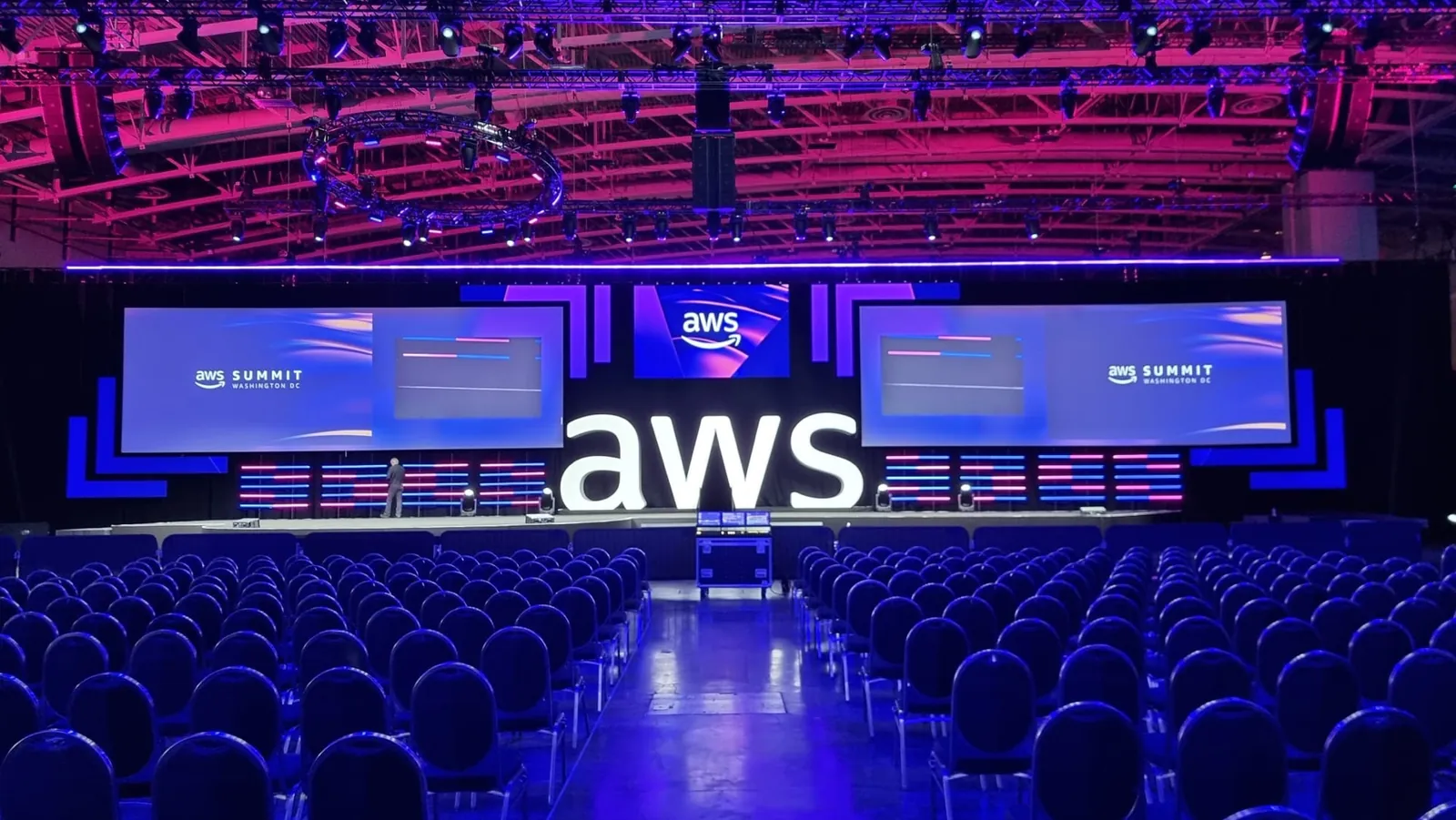
Conferences, meetings and corporate events
LED screens for presentations, conferences and company events.
We prepare LED screens and AV systems for presentations, conferences, product launches and company meetings in Miami. Rent the equipment or add delivery, setup and operation. Tell us what you want to show and we will help you choose the configuration.
You can ask for a quote before choosing specific equipment.
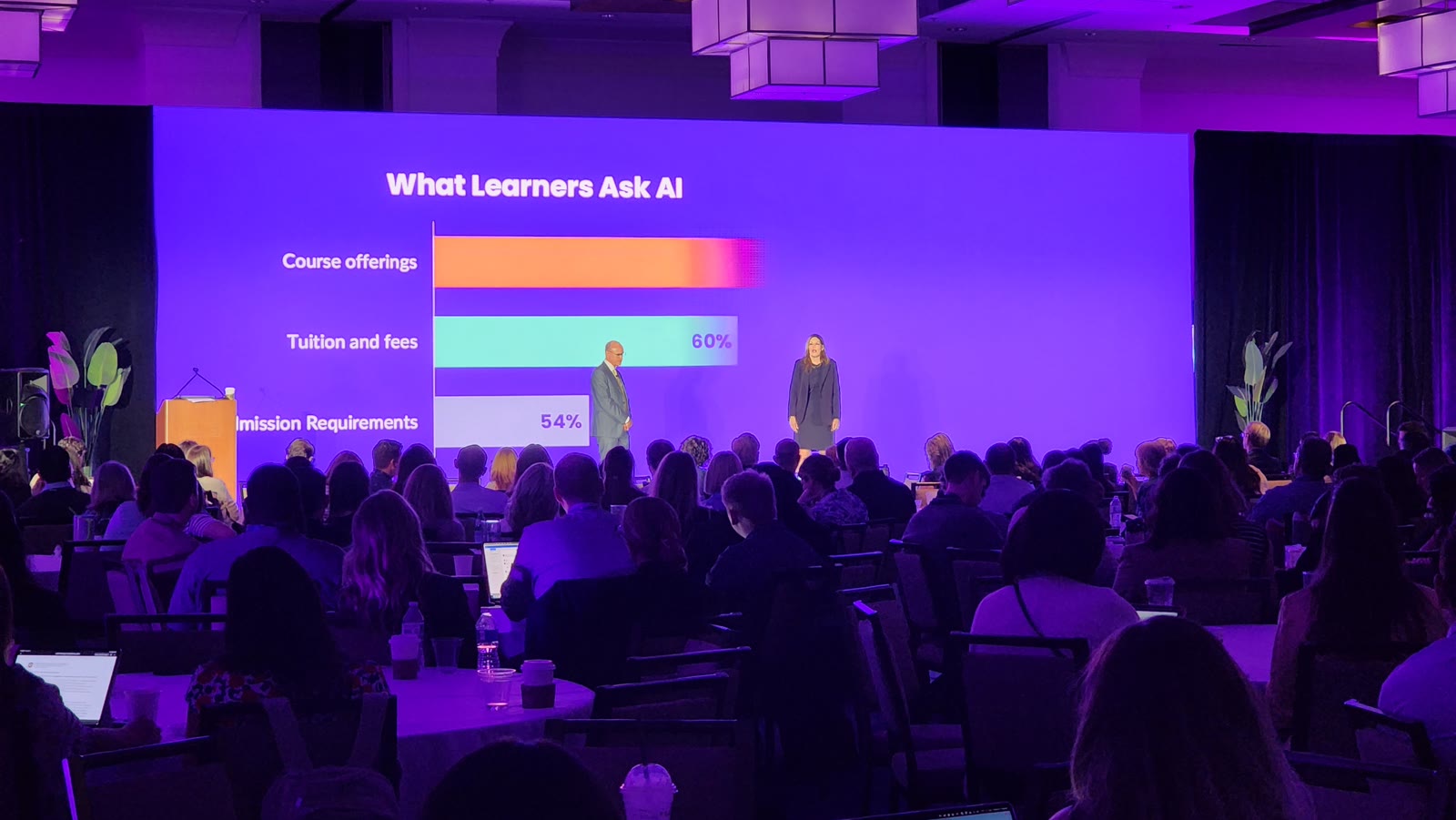
On a real project
InsightsEDU 2026 · Fort Lauderdale Beach
For InsightsEDU 2026 at The Westin Fort Lauderdale Beach Resort, GLMedia installed a 15 × 5 m LED wall with original Unilumin ground support. See how the display fit the ballroom and the conference presentations.
See the work →01
When this solution fits
The program combines slides, video, remote speakers or live camera.
You need equipment and technicians with a clear setup, rehearsal and show schedule.
Content the audience can read from the back
We compare text and chart sizes, audience distance and room lighting. Slides, video and live camera images can share the display in appropriately sized windows; we prepare files for the system’s final pixel resolution.
Presenters, content and rehearsal
We can add confidence monitors, slide controls, timers and microphones. Before the room opens, we test computer outputs, audio playback from videos and presentation order with the people taking part in rehearsal.
02
What we can prepare for your event
- LED screens sized for the room depth and content format.
- Signal processing, slide and video playback, and confidence monitors for presenters.
- Cameras, recording or streaming, with the audio and lighting needed for the presentation. We can also add stage platforms for presenters.
- Equipment for your technical crew, or service that includes preparation, delivery, setup, connections, testing, operation and removal. We help you choose the stages you need.
03
Equipment and capabilities
Presentation LEDSwitching and playbackCameras and streamingCorporate lighting
View equipment ↗04
From your idea to the setup
- 01
Tell us about the event, the location and the approximate audience size. A room photo helps too.
- 02
We review slides, videos, cameras or remote guests with you and suggest how to show them.
- 03
We coordinate access, power, setup and rehearsal times with your production team and the venue.
- 04
We prepare and test the system. We can hand the equipment over to your technicians or add show operation and removal afterward.
A useful first step
An outline of your event is enough to get started. If you have an agenda, room plan or sample presentation, we can use it to prepare your proposal.
Plan my presentation screens05
How we prepare your quote
Your proposal lists the screen, processing, transportation, setup and operating hours you choose. We review room access, timing and venue services—power, internet and rigging when needed—to account for costs from the start. If some details are still open, we help you work through them as we compare options.
06
Frequently asked questions
Can you coordinate with the hotel’s AV team?+
Yes. We can add a screen, cameras or microphones and connect them to the hotel’s system. With its AV proposal or the room’s technical contact, we review connections and coordinate power, rigging, internet and operation. When the hotel reserves a service for its own provider, we include that provider in the coordination.
Can you include cameras or streaming?+
Yes. We work out whether the image will go to room screens, a stream, a recording or several destinations. We plan camera positions, switching, audio feeds and operators for that use. For streaming, we review the internet connection and test the platform. The proposal specifies recording formats, file delivery and editing when you need it.
Can we rent equipment without operators?+
Yes. You can rent equipment for your technical crew to install and operate. We help you choose models, quantities and accessories for the intended use, and arrange packing, pickup or delivery, handover checks and return. If you need support with one stage, we can add setup or operation. You can inquire before your equipment list is complete.
07
Explore solutions by event type
Project brief
What would you like to show at your event?
Start with the type of meeting, a photo of the space or the result you want. Add the date and location if you know them; we can prepare the equipment list with you.
Discuss my corporate eventLet us know if you have a deadline for receiving the proposal.
Rent one AV system or combine the equipment your event needs.
Practical questions before you book
How do we keep slides readable from the back of the room?
We review screen dimensions, the farthest viewer, text, contrast and any camera images sharing the display. A sample presentation and room plan help; if you do not have them yet, we can start with a photo or description of the room. Pixel pitch is selected along with text size and content layout. Depending on the space, we can consider a larger display, clearer slides or additional screens.
How many microphones do we need for a panel discussion?
We start with how many people speak at once, whether they sit or move, and whether there will be audience questions. We include the moderator and those questions when counting microphones. We compare handheld, headset and lavalier options, and plan wireless coordination, the mixer, monitoring and operation together.
How much time should we allow for rehearsal?
We plan it around the program: speakers, presentations, videos, remote guests and live cues. A simple presentation and a multi-camera production take different amounts of preparation. We coordinate room access and the availability of presenters and the person calling cues to test content, microphones and transitions. A provisional agenda is enough to start planning.